# Sally's Flower Shop - QWeb Templates
# Template Inheritance
To identify the correct template for inheritance, inspect the webpage's HTML and perform a global search for specific class names. This investigation reveals that the primary template resides within the website_sale module.
When writing your <xpath>, ensure it is precise enough to target the desired container without breaking the standard layout. During inspection, you will notice a product variable is available in the QWeb context. Depending on whether your flower fields were added to the template or the variant model, you should use product.is_flower or product.product_variant_id.is_flower to access the data. Use a t-if directive to ensure these details are only visible for flower products and remain hidden for standard merchandise.
Key Considerations:
- Template Identification: Use browser developer tools to find unique CSS classes like
js_main_productor IDs likeproduct_detailsto locate the source template. - Variable Scope: Use
product.is_flowerif your logic is on the template level, orproduct.product_variant_id.is_flowerif it is on the variant level. - Conditional Logic: Implementing a
t-ifcheck prevents empty labels or layout shifts when users browse non-flower items.
<odoo>
    <template id="..." inherit_id="...">
        <xpath ...>
            <div t-if="...">
                <!-- add flower fields -->
            </div>
        </xpath>
    </template>
</odoo>
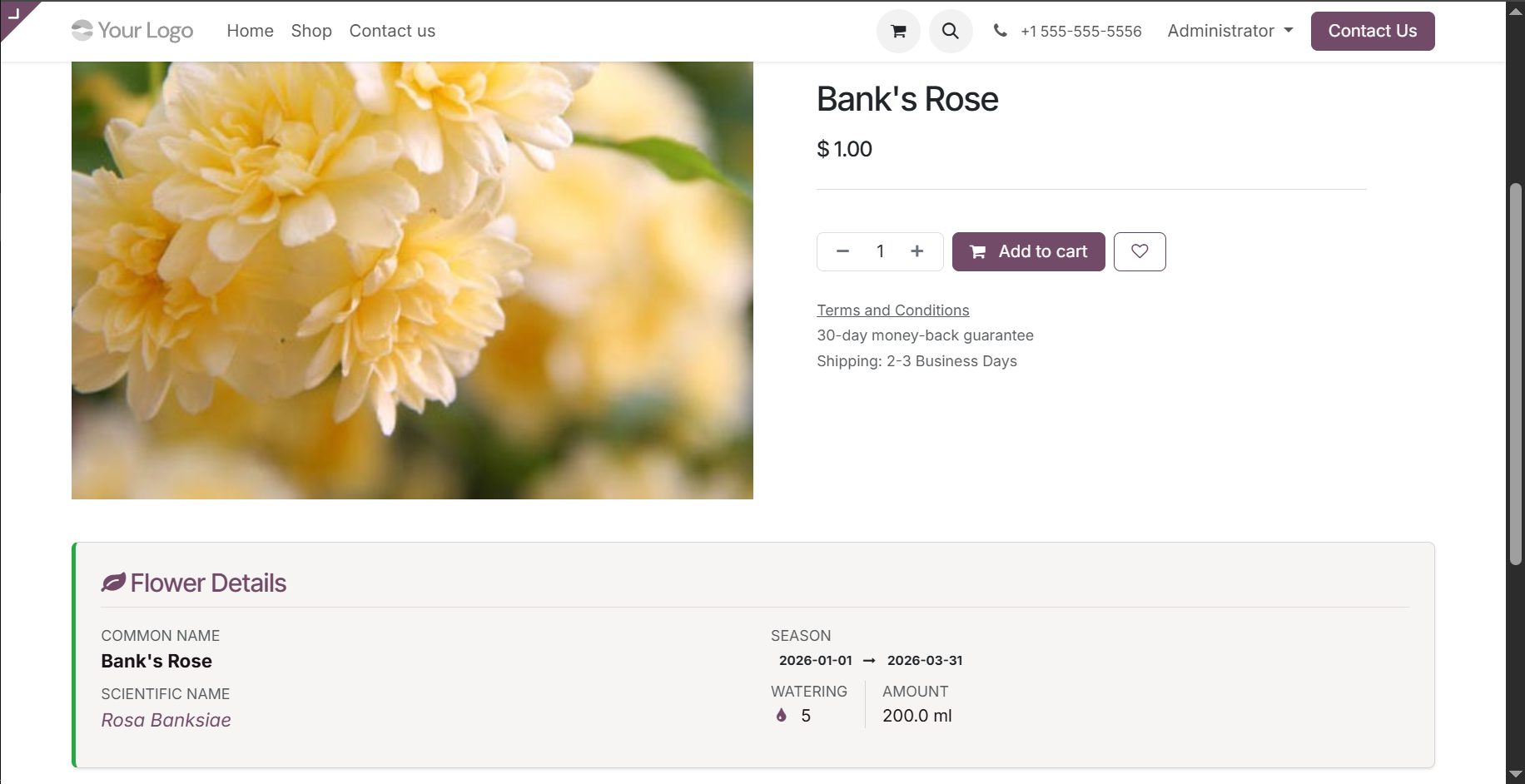
The final result should be something like this.