# Sally's Flower Shop - Access Rights, Sequences
This exercise emphasizes
on security (opens new window) in
terms of groups and record rules, and a special model in Odoo called ir.sequence.
# Groups
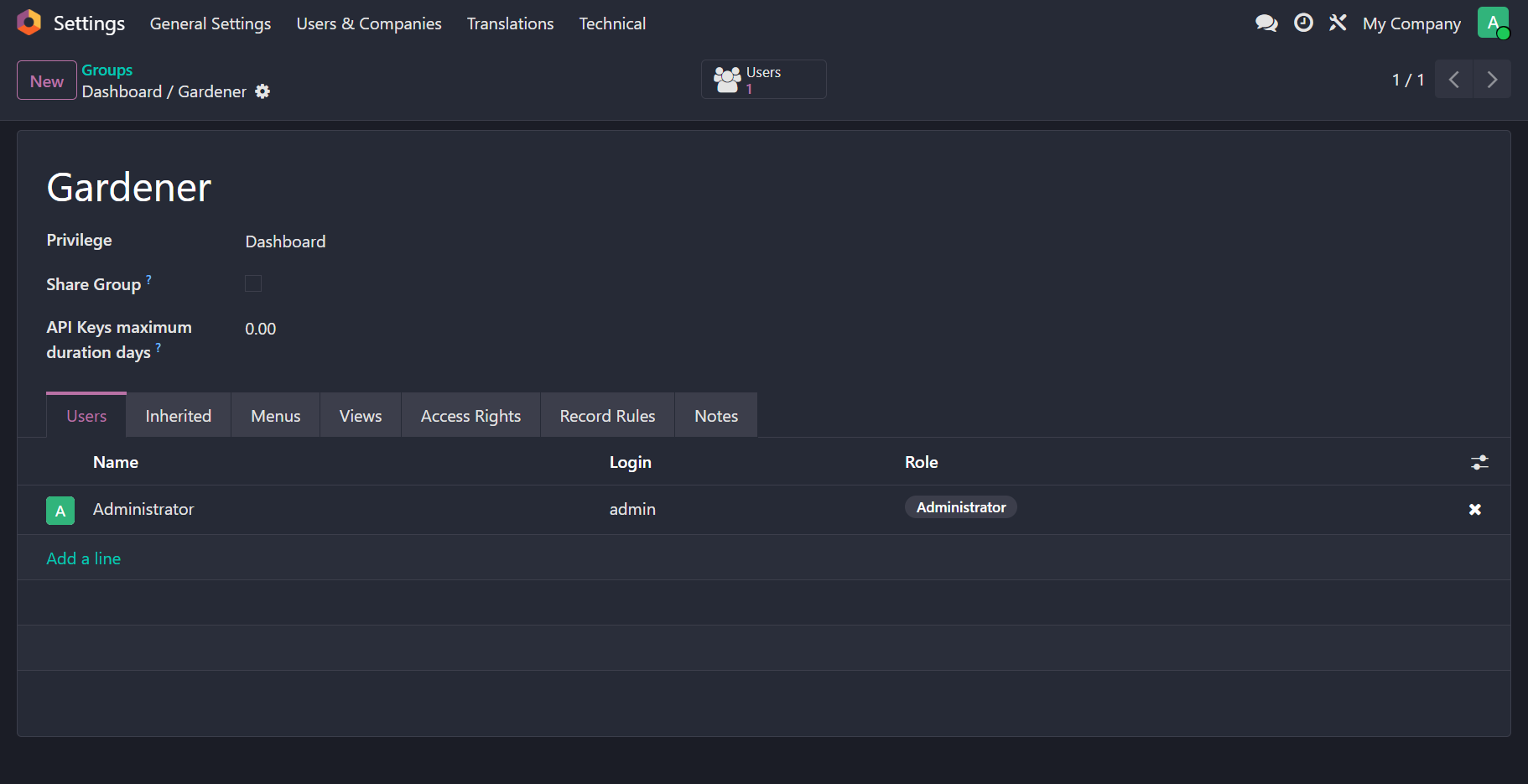
We will define the gardeners' group in a dedicated groups.xml file inside the security or data folder. The group record will be wrapped in a data tag with the attribute noupdate="1".
Using noupdate="1" ensures these records are created only during the initial installation and are not reset during module upgrades. This is a best practice for records that administrators might customize—such as res.groups or ir.rule—as it prevents Odoo from overwriting manual changes with the original XML definition.
<odoo>
    <data noupdate="1">
        <record id="..." model="res.groups">
            <field name="name">Gardener</field>
            ...
        </record>
    </data>
</odoo>
# Scheduled Action
The relationship between products and lots is defined by a product record having multiple stock.lot records. We must check all lots for each flower product; if at least one lot requires watering, the product should be marked with a ribbon.
A computed boolean field in the product model with a dependency on lot records is not feasible for two reasons. First, there is no direct reference to stock.lot records from the product model (no One2many field); the reference is a Many2one from the lot to the product. Second, a compute method cannot trigger based on the current date, which is necessary since the watering status must be re-evaluated every single day.
As a rule of thumb, requirements involving checks at fixed time intervals necessitate a scheduled action (cron job), or an ir.cron record. We will create a scheduled action designed to execute Python code daily. In the configuration, we will set the state field to code and use the code field to invoke a specific function within the model.
<odoo>
    <record id="..." model="ir.cron">
        <field name="name">Check Products that Need Watering</field>
        ...
        <field name="state">code</field>
        <field name="code">model.action_needs_watering()</field>
    </record>
</odoo>
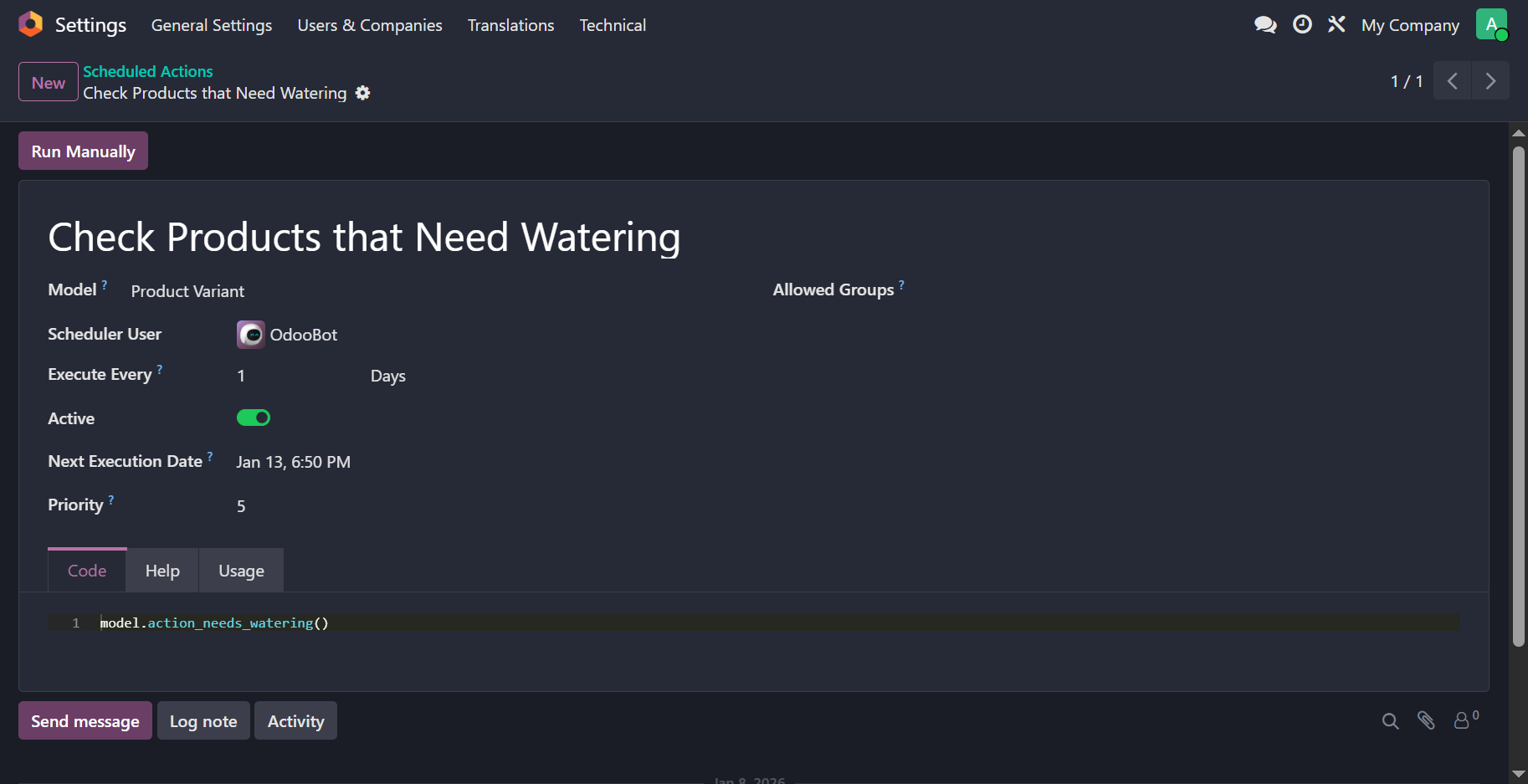
Notice that model is a variable available within the scope of the code field. The variable contains reference to the model to which this action is bound.
Below is the full list of variables available in the environment for server and scheduled actions. You can find this info under the Help tab in a server or scheduled action after setting the Model field.
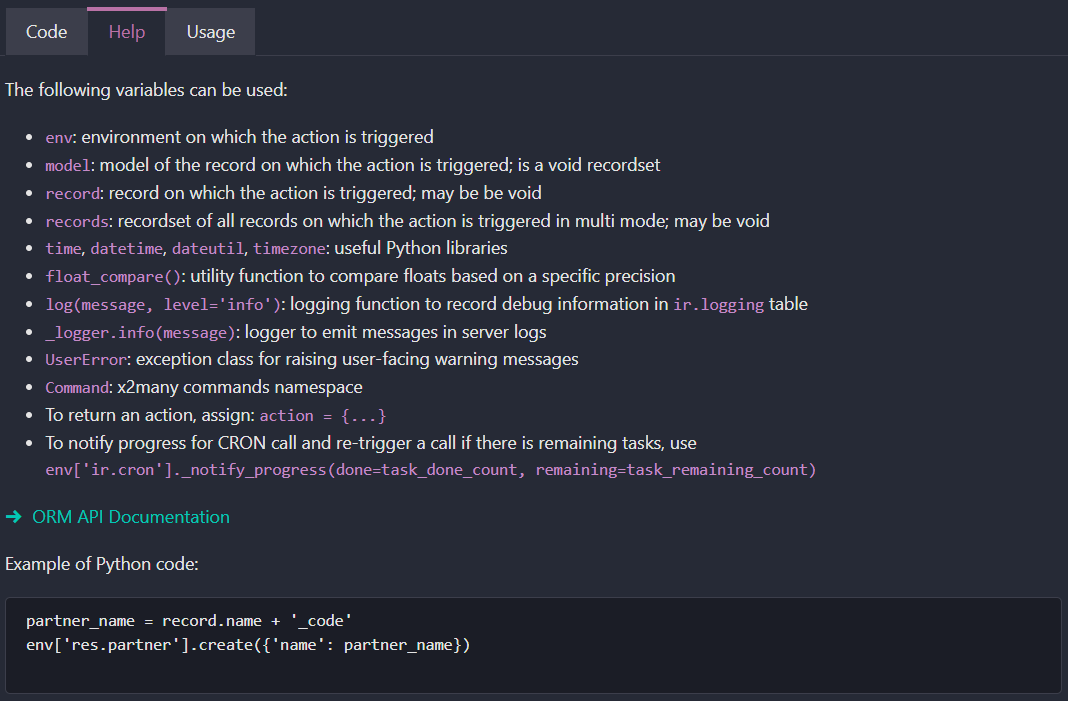
In the ir.cron record, the code field has access to a model variable. This variable refers to the model specified in the model_id field of the action. When you execute model.action_needs_watering(), Odoo calls that method on an empty recordset of that specific model.
The environment for scheduled actions provides several predefined variables. Besides model, you have access to env for database queries, datetime for time-based logic, and log for debugging. You can view the full list of these variables in the Odoo interface by navigating to the Help tab of a server or scheduled action after you have selected a value for the Model field.
 def action_needs_watering(self):
    """
    This method is executed by a cron job every day to mark flower products with a ribbon.
    The ribbon is displayed with the text "Needs Watering". Even if a flower product has
    5 unique serials but only 1 needs watering, then the whole product is marked as needs watering.
    """

    # search for all stock.lot records that belong to flower products only
    lots = ...
    # create a dict where key is the product ID and value is True/False depending on whether the flower needs to be watered
    your_dict = ...
    for lot in lots:
        if product ID from lot exists in your_dict and is set to True:
            continue  # safely skip this lot because its product was already marked

        # if there are no watering records at all for this lot,
        # then the product must be marked
        elif not lot.water_ids:
            your_dict[product ID] = True

        # in this case determine based on whether the lot needs watering or not
        else:
            # check the last watered date, get the difference in days from today,
            # and compare with the watering frequency to determine
            ...
            needs_watering = ...
            your_dict[product ID] = needs_watering

    flower_products = ...
    for product in flower_products:
        product.needs_watering = your_dict[product.id]
# Ribbon
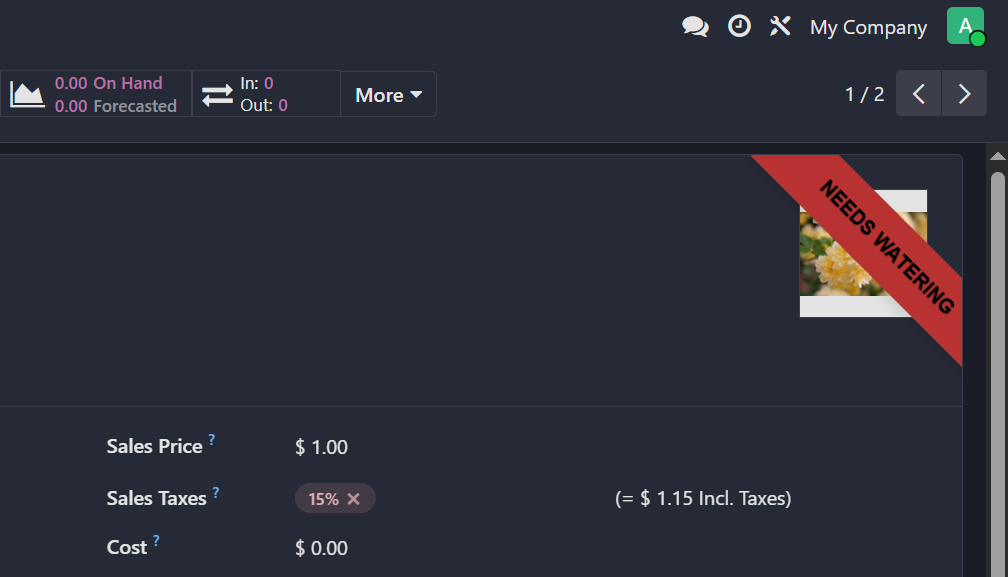
To implement a status ribbon in Odoo, you can use the web_ribbon widget, which is commonly used across the source code to highlight record states. Ensure the ribbon is placed at the very beginning inside the <sheet> element to anchor it to the top-right corner. You can control its visibility and color by using certain attributes.
<odoo>
    <record ...>
        <field name="arch" type="xml">
            <xpath ...>
                <widget name="web_ribbon" title="..." bg_color="..." invisible="..."/>
            </xpath>
        </field>
    </record>
</odoo>
# Sequence
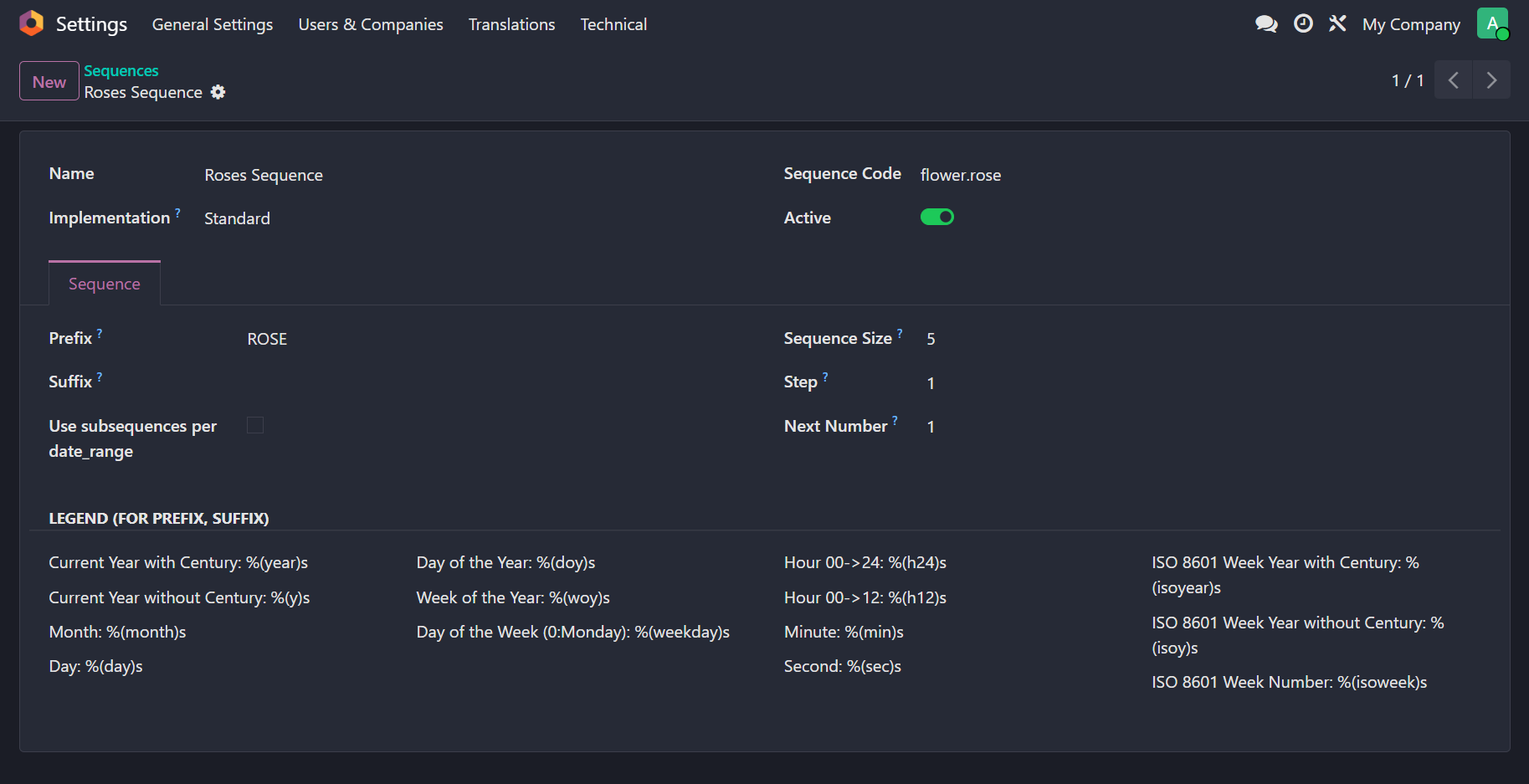
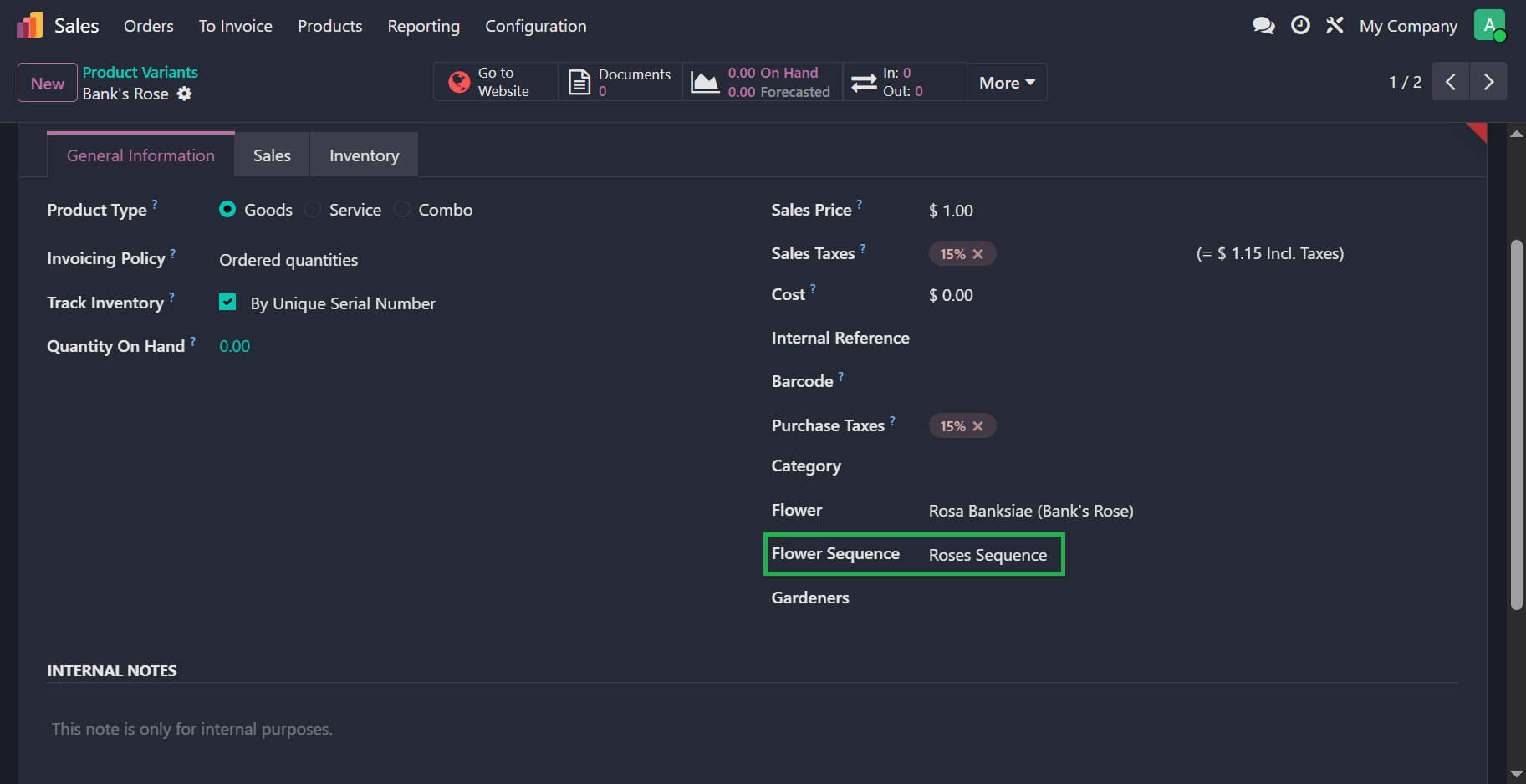
If all flower serials followed the same sequence numbering, we would simply create a single ir.sequence record in XML. However, since each flower requires its own unique sequence, we will add a Many2one field to the product.template or product.product model. This allows each individual product record to be associated with its own ir.sequence record.
When a product is linked to a sequence, Odoo can use that specific record to generate unique serial numbers for the flower's lots. This configuration provides the flexibility to manage different prefixes or padding lengths for different flower types directly from the product form view.
sequence_id = fields.Many2one("ir.sequence", "Flower Sequence")
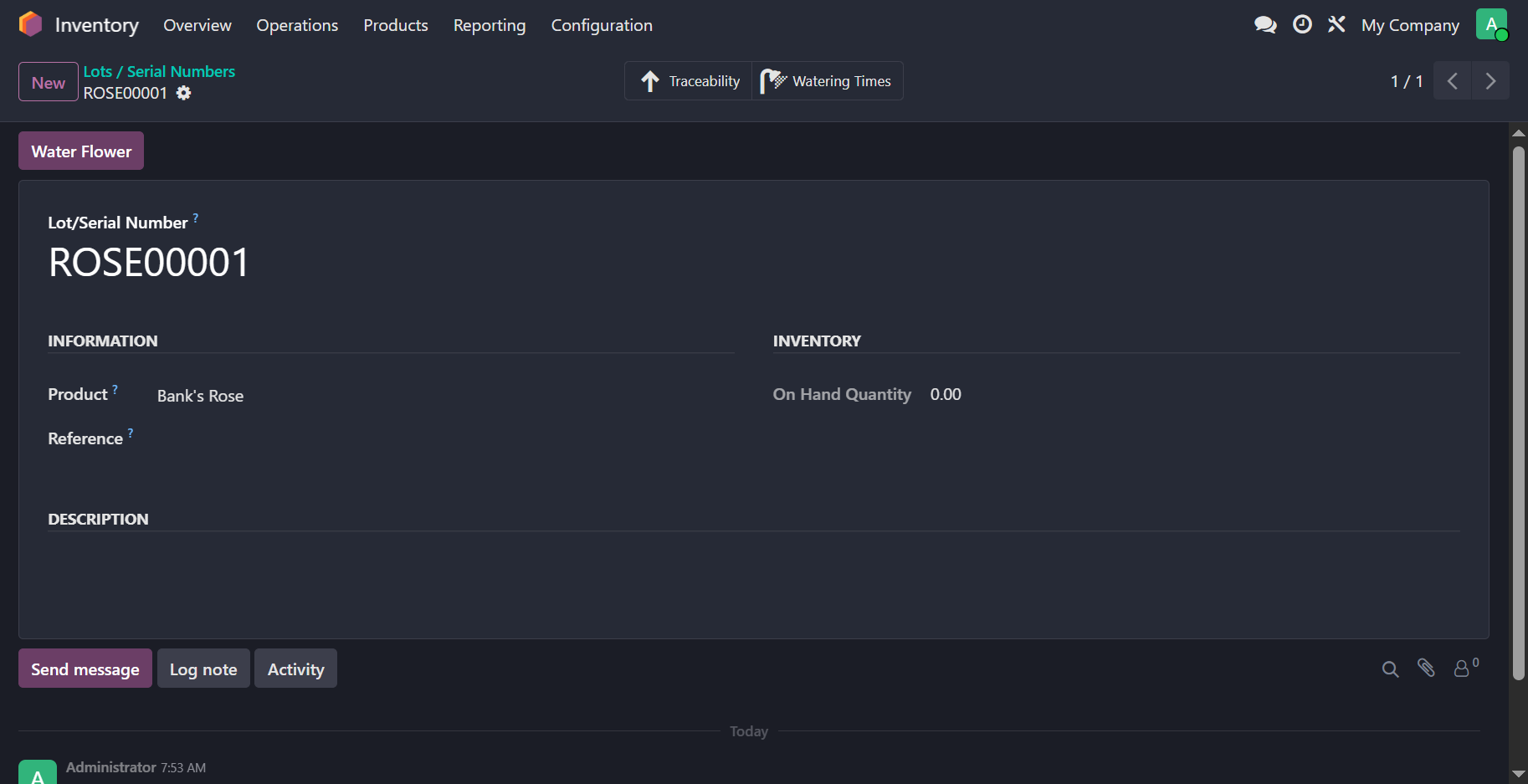
Next, in the create method of stock.lot, we will call next_by_id() on the product's sequence record. This method will return the next appropriate sequence number for the serial being created. We then assign this sequence value inside the vals dictionary to the name field of the serial record.
This approach ensures that every time a new lot is generated, it automatically pulls a unique identifier from the specific sequence associated with that flower product. If the sequence field on the product is empty, you should ensure there is a fallback mechanism or a check to prevent errors during the creation process.
@api.model_create_multi
def create(self, vals_list):
    for vals in vals_list:
        # browse for the product record by using vals['product_id']
        product = ...
        if product.sequence_id:
            vals["name"] = product.sequence_id.next_by_id()
    return super().create(vals_list)
# Multi-Record vs. Single Record Creation
The @api.model_create_multi decorator is specifically designed for use with create methods to support efficient batch processing. While the method is primarily intended to receive a vals_list containing a list of dictionaries, the Odoo ORM is flexible enough to handle cases where either a list of dictionaries or a single dictionary is passed, and both formats are considered acceptable during execution.
# Record Rules
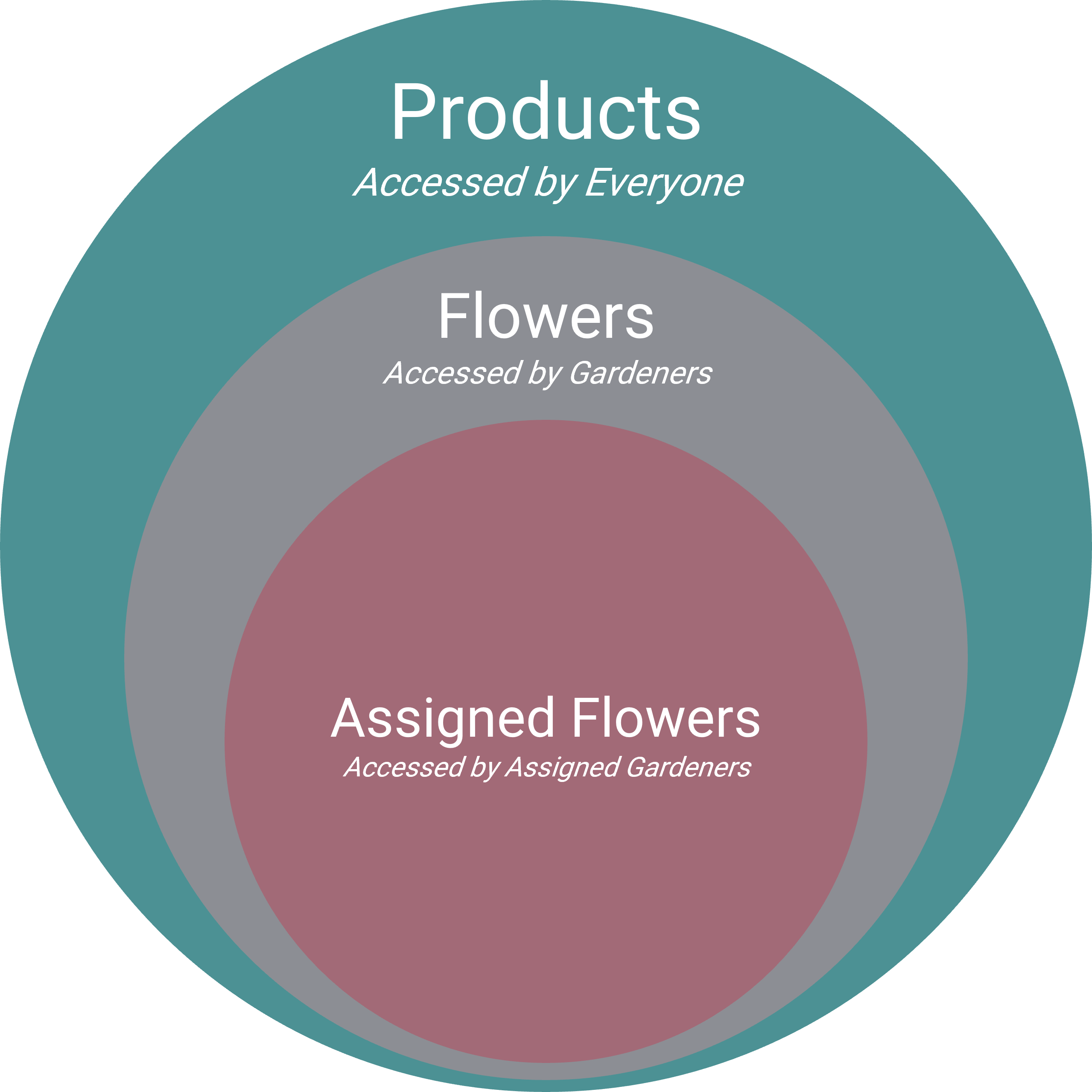
Record rules (opens new window) are essential for securing data at the record level, and they are divided into global rules and group-specific rules. Understanding how these rules interact is key: global rules are always applied and combined using AND logic, while group-specific rules are combined using OR logic for users belonging to multiple groups. This ensures that a user must satisfy all global constraints while being granted the most permissive access available through their assigned groups.
For this exercise, we will first implement a global rule—meaning the groups field is left empty—to control product visibility. The rule follows this logic: if a user is a member of the gardeners' group, they can access all products; otherwise, they are restricted to viewing only non-flower products. This is achieved by using a Python expression within the domain_force field, which dynamically evaluates the user's groups to determine the appropriate domain.
<odoo>
    <data noupdate="1">
        <record id="..." model="ir.rule">
            ...
            <field name="domain_force">[(1,'=',1)] if user.user_has_groups('flower_shop.group_gardener') else
                [('is_flower','=',False)]
            </field>
        </record>
    </data>
</odoo>
While the global rule grants gardeners general access to flower products, we can apply more granular restrictions by creating a group-specific record rule. This specific rule ensures that a gardener only sees flowers that either have no assigned gardeners or are explicitly assigned to them. By setting the groups field to the gardener group's XML ID, the rule only activates for users with that specific role.
<odoo>
    <data noupdate="1">
        <record id="..." model="ir.rule">
            ...
            <field name="groups" eval="[Command.link(ref('flower_shop.group_gardener'))]"/>
            <field name="domain_force">['|',('user_ids','=',False),('user_ids','in',user.id)]</field>
        </record>
    </data>
</odoo>
In Odoo, when a global rule and a group-specific rule both apply to a user, the final permission is the result of an AND operation between them. In this scenario, the global rule opens the door to all flowers, but the group-specific rule acts as a filter, narrowing the recordset down to only those matching the user_ids criteria. Consequently, the user sees a combination of unassigned flowers and their own assigned flowers, while still being restricted from seeing flowers assigned to other gardeners.
The result of the record rules can be depicted by the Venn diagram.