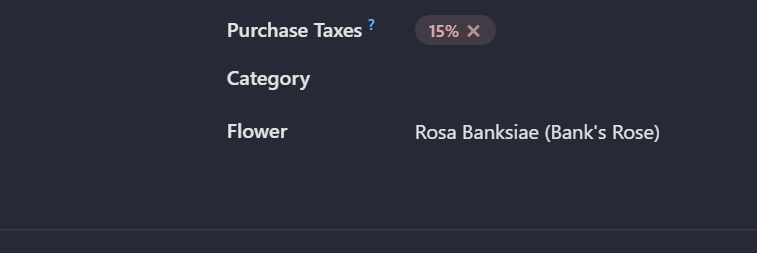
# Sally's Flower Shop - Actions
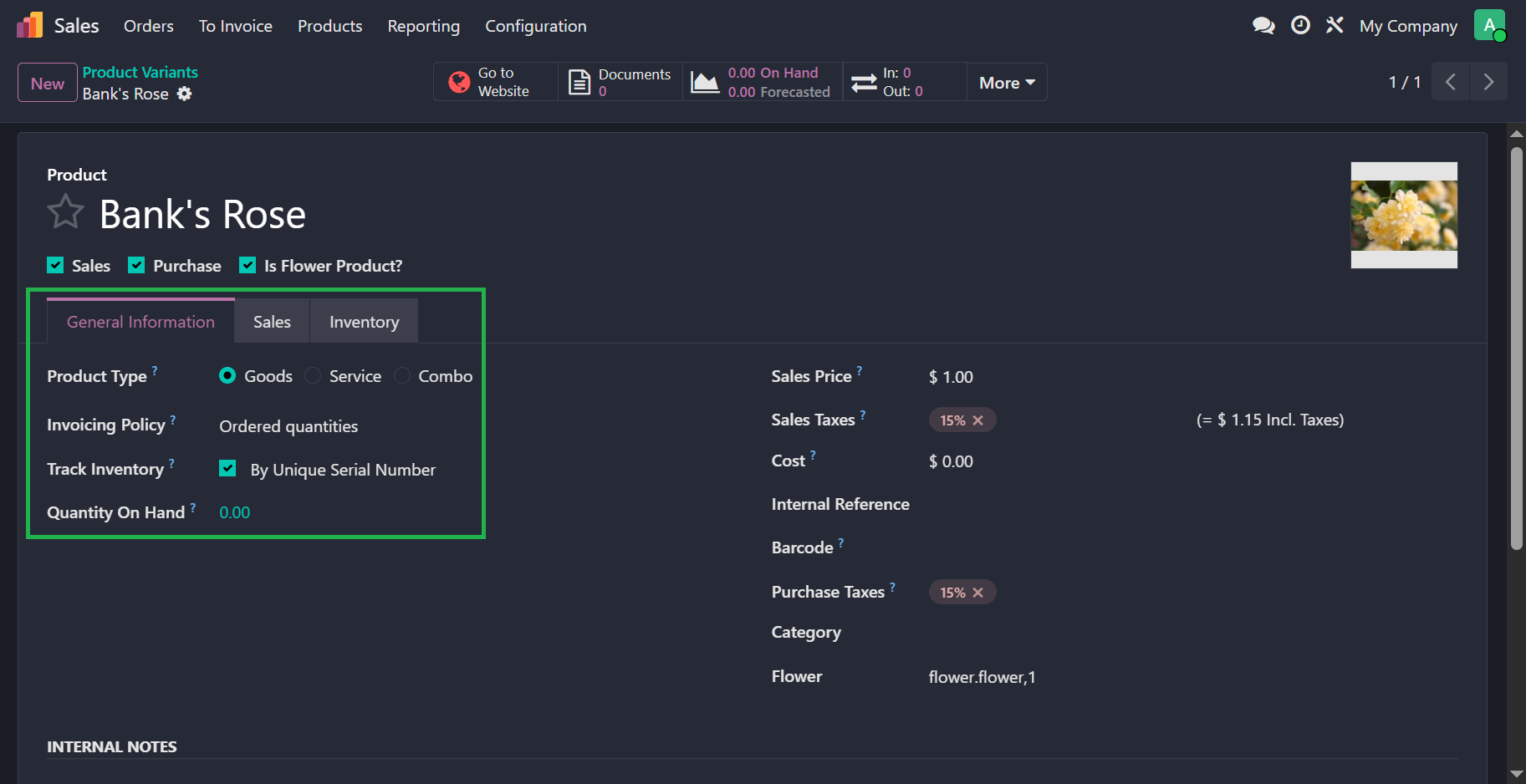
For this exercise, we have track the flower products By Unique Serial Number. This option can be found under the General Information tab in the product template's form view. Before this, please make sure to enable Settings > Inventory > Lots & Serial Numbers checkbox.
# One-to-Many Relation
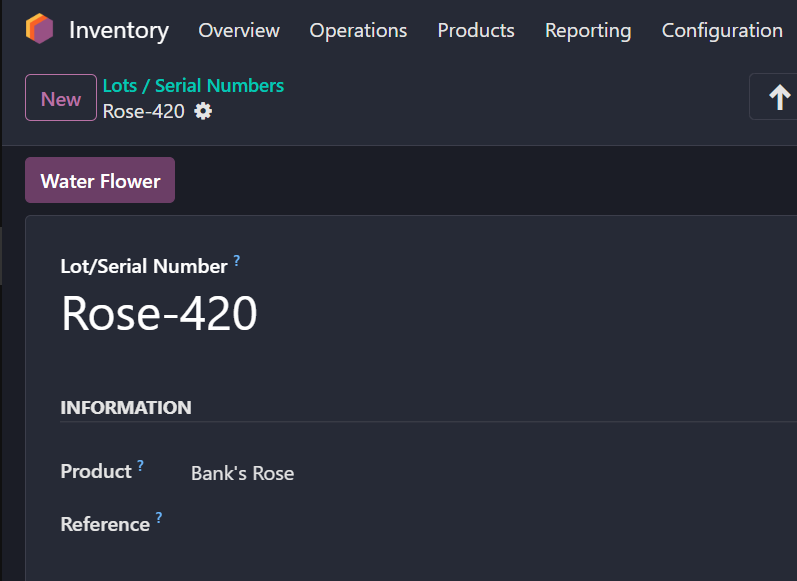
In Odoo, when a product is tracked by unique serial numbers, each individual unit is represented by a stock.lot record rather than the base product model. To track watering history, you must establish a relationship between flower.water and stock.lot, allowing one serial-numbered flower to be watered multiple times. This is achieved by defining a Many2one field in flower.water (e.g., lot_id) and a corresponding One2many field in stock.lot. When defining the One2many field, the inverse_name attribute must be set to the name of the related Many2one field to correctly link the history of watering events to the specific flower lot.
# flower.water model
lot_id = fields.Many2one("stock.lot")

# stock.lot model
water_ids = fields.One2many("flower.water", "lot_id")
This relational field is bidirectional in nature, meaning the user can either go to a serial lot to water it multiple times (i.e. create multiple records in water_ids), or set the lot_id
field inside a flower.water record. In both the cases, results will be the same.
# Action Button
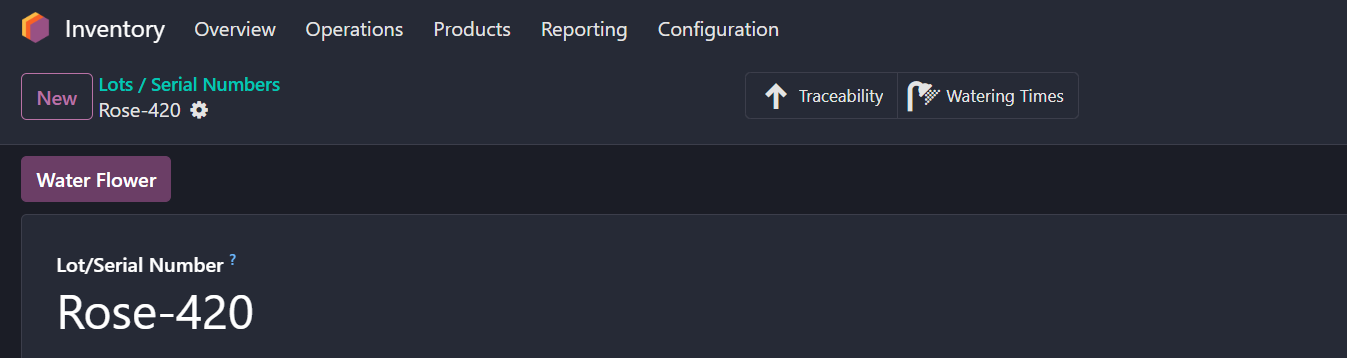
To implement the watering functionality, add an action button (opens new window) to the stock.lot form view and bind it to a Python method. Since buttons should always be placed inside the <header> element, you must add a header to the view if one does not already exist. To ensure the button is only visible for relevant records, define a related field in the stock.lot model and then apply the invisible attribute in the XML to show the button exclusively for flower products.
<odoo>
    <record id="..." model="ir.ui.view">
        ...
        <field name="arch" type="xml">
            <xpath ...>
                <header>
                    <field name="is_flower" invisible="1"/>
                    <button
                            name="action_water_flower"
                            string="Water Flower"
                            type="object"
                            class="oe_highlight"
                            invisible="not is_flower"
                    />
                </header>
            </xpath>
        </field>
    </record>
</odoo>
Define the action_water_flower method in the stock.lot model to validate watering intervals and generate corresponding flower.water records. It is essential to iterate over self using a loop, as developing for recordsets is a standard Odoo practice that ensures the method operates correctly whether it is called from a single record in a form view or multiple selected records in a list view. By looping through the records, you can check the specific state of each serial-numbered flower and create individual watering logs for every item in the current selection.
def action_water_flower(self):
    # create a list of vals to batch create flower.water records
    vals_list = []
    # loop over self recordset
    for record in self:
        # check if the serial lot is a flower and has any watering records
        # compare the last watering date with today
        # if the difference is less than the watering frequency, skip that record
        ...
        if ...:
            continue
        # otherwise add vals for flower.water
        else:
            vals_list.append(...)
    # batch creation
    self.env["flower.water"].create(vals_list)
    ...
# Constraint
Odoo supports both SQL-level and ORM-level constraints (opens new window) (using the @api.constrains decorator). However, since flower.water records are exclusively managed via the action_water_flower method—with no manual user intervention permitted—a model-level constraint is redundant. If you have created a form view for flower.water, please ensure that you add the create="0" attribute:
<odoo>
    <record ...>
        ...
        <field name="arch" type="xml">
            <form create="0">
                ...
            </form>
        </field>
    </record>
</odoo>
# Server Action
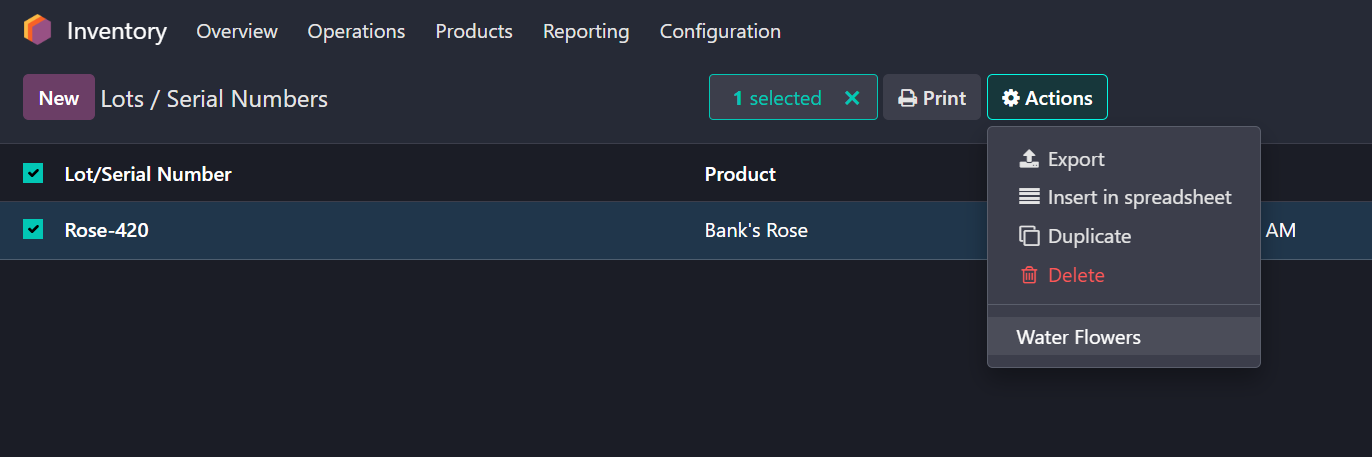
Server actions (opens new window) are versatile tools for automating tasks or executing custom logic. In this case, our server action calls the same action_water_flower method we developed for the action button. Because the method was built to handle recordsets—meaning it iterates over self—it works seamlessly for batch processing. This allows you to select multiple lots (uniquely serialized flowers) in the list view and trigger the logic for all of them at once, keeping your code consistent and efficient.
# Smart Button
Smart buttons are effective visual tools for displaying statistics and related records within a compact UI element. We will add a smart button to the stock.lot form view to track watering history.
While you could simply use an inline view (opens new window) for the water_ids field, using a button with the oe_stat_button class provides a more professional Odoo interface. We will link this button to a Python method that returns an action, redirecting the user to a filtered list view of all watering records for that specific flower.
<odoo>
    <record ...>
        ...
        <field name="arch" type="xml">
            ...
            <div name="button_box" position="inside">
                <button class="oe_stat_button"
                        name="action_open_watering_times"
                        icon="..."
                        invisible="..."
                        type="object">
                    <div class="o_field_widget o_stat_info">
                        <span class="o_stat_text text-wrap">Watering Times</span>
                    </div>
                </button>
            </div>
        </field>
    </record>
</odoo>
The method action_open_watering_times will return a window action containing specific parameters such as the action type, target model, and view modes. Instead of referencing a static XML window action, we will generate the action on-the-fly by returning a dictionary directly from the Python method. This approach provides greater flexibility, as it allows us to dynamically define the domain and context based on the specific record being accessed.
Here is how the form view would look like for a serial numbered flower (stock.lot) record.
# Record Naming
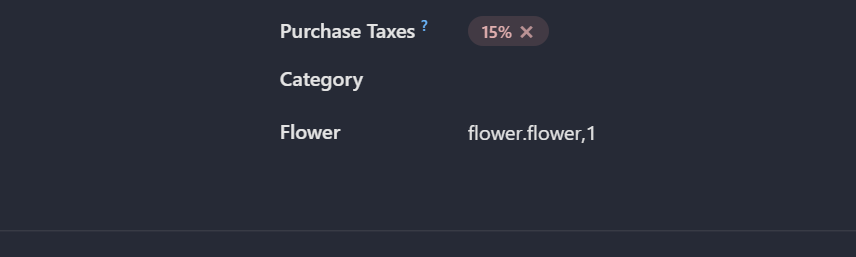
The ORM uses display_name field's value to render a label for the record. The value is defaulted to the value of the name field if the model has such a field. If not, then display_name shows the model name and the record ID.
Our flower model does not have a name field therefore we can set the display_name through its compute method _compute_display_name().
Make sure to depend on the correct fields and to use the exact format as described in the exercise.
@api.depends(...)
def compute_display_name(self):
    for record in self:
        record.display_name = ...
Here is how the flower records were displayed before overriding the compute method.
And this is after overriding.